


BoldHub: Video Chat & Friends
4.489.00 Reviews
App Specs
- Version
- 1.1.9
- Updated On
- License
- Free
- Downloads
- 1,000,000+
- Developer
- APPFIV STUDIO
- Categories
- Social
- Platform
- Android
Screenshots

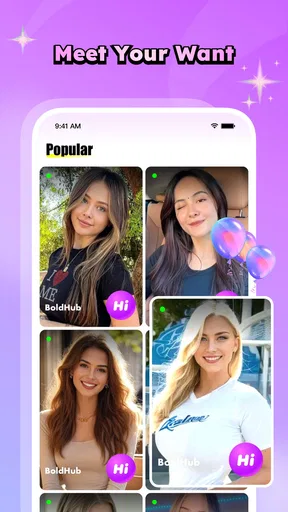
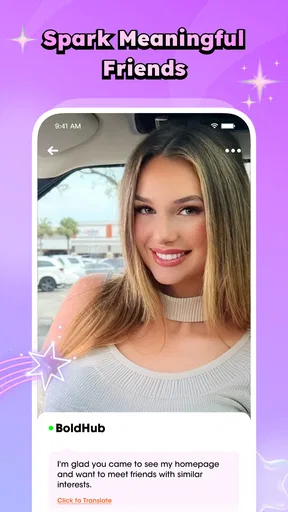
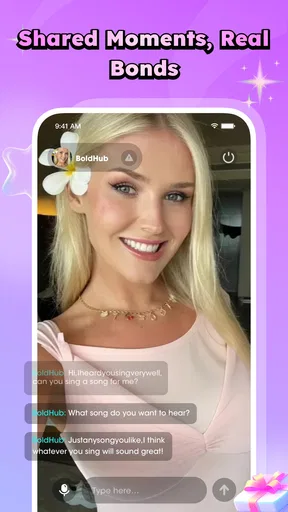

 Analysis by AppCompare
I opened BoldHub: Video Chat & Friends expecting a straightforward social app, but its focus is more specific than a normal messaging service. It is built around meeting people through video while keeping text conversations practical with automatic translation. That combination makes it interesting for anyone who wants conversations beyond their own language, although it also means the experience depends heavily on how comfortable you are with spontaneous contact.
BoldHub is a free social app from APPFIV STUDIO, aimed at mature users and available on Android devices running version 7.0 or later. It has reached over a million installs and holds a 4.4 average from around 81 thousand ratings, which suggests that the concept has found a sizeable audience. I would not treat those figures as a guarantee that every conversation will be good, but they do indicate that this is more than an experimental chat room with no active user base.
From wanting a conversation to finding the right person
The most useful way to understand BoldHub is to follow the situation it is designed for. Imagine I have a free evening and want to speak with someone from another country, but I do not want to spend time switching between a video app and a translation tool. In that case, the appeal is immediate: the conversation, the video element and the language assistance are intended to sit in one social experience.
That starting point is different from opening a conventional messenger to contact people I already know. BoldHub makes more sense when the goal is discovery, casual interaction or meeting someone new. It is not the app I would choose for a private family call, a work meeting or a carefully scheduled group discussion. Those situations usually benefit from known contacts, predictable invitations and more formal controls.
The mature rating matters here. I would approach the app as an adult social space rather than something suitable for teenagers or children. Anyone installing it should be prepared for conversations with strangers and should avoid treating a friendly first impression as proof that another person is trustworthy. That is not a criticism unique to BoldHub; it is the basic trade-off of meeting people online through live interaction.
Setting up the first conversation
My first practical recommendation is to decide what kind of interaction you actually want before starting. If your aim is language practice, prepare a few simple topics and keep your expectations modest. If you are looking for friendship, remember that a video chat can reveal personality quickly, but it can also become uncomfortable quickly. Having a clear reason for using the app makes it easier to end conversations that are not going anywhere.
The app’s free entry point lowers the barrier to trying it. You can explore the basic experience without committing money at the beginning, while optional in-app purchases range from under a dollar to amounts approaching a hundred dollars for an individual item. I would be careful with that spending model. For a first session, I would use the free experience long enough to decide whether the people, pace and conversation style suit me before buying anything.
Worth Reading Before You Choose

EA SPORTS FC Mobile 26 Is a Bigger Football Game, but It Takes Time

Flipboard Shows What News Apps Must Do Beyond the Feed

Switching to Android Auto Means Rethinking Your Driving Routine

Google Calendar Makes a Crowded Week Easier to Manage

Ludo King Makes the Most of the Minutes Between Plans

Baby Panda World Brings Quick Play to Modern Phones, but Its Game Library Feels Busy
There is another small but important preparation step: use a profile and opening message that set boundaries without revealing personal information. I would not include a phone number, home address, workplace details or a routine that makes me easy to locate. A short introduction about interests or languages is enough to give a stranger something to respond to.
Moving from text to video
Text is the safer place to begin because it gives me time to judge the tone of a conversation. BoldHub’s automatic translation is particularly useful at this stage. Instead of copying messages into a separate translation service, I can keep the exchange in one place and use the translated meaning as a bridge. That is convenient, but I would still treat translations as assistance rather than perfect interpretation. Humor, slang, sarcasm and short phrases can lose their intended meaning when translated automatically.
A good workflow is to write clearly, avoid complicated idioms and confirm anything important in plain language. If I am arranging a time to chat, I would repeat the agreed time and time zone rather than relying on a vague expression such as “later tonight.” If a message seems unusually rude or unusually intimate after translation, I would pause and ask what the person meant instead of reacting immediately.
Once the text exchange feels comfortable, video can add a more natural rhythm. Facial expressions and voice help with context that text cannot provide, especially when two people are communicating in different languages. At the same time, video removes some of the distance that makes online conversation feel safe. I would start with a short call, keep the background private and avoid showing documents, screens or identifiable locations.
The strongest workflow is text first, a short video second, and deeper trust only after repeated respectful behavior. That sequence is more useful than jumping directly into long calls simply because the app is designed around video chat.
Handling translation without losing the human part
Automatic translation can make BoldHub more approachable than a standard video platform when language is the main obstacle. A person who knows only basic phrases can still attempt a conversation, and the other participant does not have to leave the app every time a sentence becomes difficult. This could be valuable for travelers, international students, language learners or people who enjoy meeting friends from different regions.
There is a trade-off, though. Translation can make a conversation possible without making it effortless. I found that the best results come from short sentences and direct questions. Long paragraphs create more opportunities for an ambiguous translation, while a simple question about music, food or daily routines is easier to understand and answer.
I would also avoid using the feature for sensitive subjects such as financial arrangements, legal matters or anything involving personal identification. Even when the words appear clear, subtle errors can change the meaning. BoldHub is better suited to casual social conversation than to situations where a mistranslated sentence could cause real harm.
How the handoffs work in everyday use
The important handoffs in this app are not technical steps so much as changes in trust. I begin with an unknown person, move into a text exchange, decide whether translation is helping, and then choose whether to show my face and voice. Each transition deserves a separate decision. Treating them as one continuous action is where many social apps become uncomfortable.
For example, I might use BoldHub after work while waiting for a friend. I could start with a short message to someone who speaks another language, explain that I am practicing conversation, and ask whether they prefer text or video. If the first few replies are respectful, I could accept a brief call. If the person immediately pressures me to stay longer, asks for private contact details or turns the conversation toward money, I would end it rather than trying to rescue the interaction.
This is also where BoldHub differs from familiar alternatives. A mainstream messenger is usually strongest when I already know the other person. A language-learning platform may offer more structured exercises or correction tools. A video meeting service is generally better for planned calls with colleagues or groups. BoldHub sits between these categories: it is more spontaneous than a formal learning tool and more socially exploratory than a regular messenger.
That middle position is both its attraction and its limitation. I can discover conversations that would not happen through my existing contacts, but I have less control over who appears and what they want. If I need reliable moderation, organized lessons or professional privacy, I would choose a more specialized service. If I want casual cross-language contact and accept the need for personal judgment, BoldHub is a more natural fit.
What I would do when a conversation goes well
When a call is enjoyable, I would not rush to move it outside the app. Keeping the next interaction inside the same social environment gives me more control and avoids handing over personal contact information too early. I would also notice whether the person respects small boundaries: do they accept a short call, understand when I need to leave, and answer questions without constantly redirecting the conversation toward private details?
A useful sign is consistency rather than intensity. Someone who is polite across several ordinary chats is more promising than someone who becomes extremely familiar after a few minutes. BoldHub makes quick connections possible, but I would judge the outcome over time. The app can open the door to a friendship; it cannot establish trust on its own.
For language practice, I would keep a small note of topics that caused confusion and return to them later with simpler wording. This turns a casual call into a more useful routine. I might also agree on a balanced format, such as alternating languages or spending part of the conversation on text before moving to video. That approach makes the translation feature a support tool rather than a replacement for learning.
Where the experience becomes frustrating
The first friction is the unpredictability of stranger-based social interaction. A strong download figure does not mean every person available at a given moment will be compatible with me. I may encounter short replies, people who want a different kind of conversation or chats that end without explanation. Anyone who dislikes uncertainty should know that BoldHub’s central appeal also creates its biggest weakness.
The second issue is the gap between translation and natural conversation. A translated sentence may be understandable but still feel stiff. Fast back-and-forth dialogue can become slower when both people need to check meaning, and jokes often require extra explanation. I would not install this expecting automatic translation to remove every language barrier. It reduces friction; it does not erase it.
Video adds its own demands. A poor setting, background noise or an unexpected interruption can make a call awkward even when both people are friendly. I would use headphones when appropriate, check what is visible behind me and avoid starting a call in a place where private information might appear. These habits are especially important because a live image can reveal more than a text profile.
Money is another point where I would slow down. The app is free to install, but individual in-app purchases can range from $0.99 to $99.99. That wide range makes it important to understand what an optional purchase does before confirming it. I would never spend money to keep someone interested, gain approval or respond to pressure from another user. If a conversation starts to feel transactional, I would leave.
Who should use it and who should skip it
I think BoldHub is worth trying for adults who enjoy spontaneous conversations, want to meet people across language boundaries or prefer a more personal connection than text alone can provide. It may also suit someone who wants to practice communicating with imperfect language and appreciates having translation close at hand.
I would skip it if I am looking for a quiet, private inbox for existing friends. I would also choose another option if my main goal is structured language study, business communication, large group calls or carefully managed introductions. The app’s value comes from informal discovery, so users who need predictable outcomes may find the same openness tiring.
Privacy-conscious users should be selective about what they share and how quickly they move to video. That does not make the app unusable, but it does mean the best experience belongs to people willing to manage boundaries actively rather than assuming the platform can make every social decision for them.
Version, cost and the practical decision
The current version is 1.1.9, and the app runs on Android 7.0 and newer. Those requirements make it accessible on many older Android phones, although video quality and comfort will still depend on the device, connection and surroundings. I would test the basic flow on my own phone before buying anything, particularly if the device is older or has limited storage and battery life.
Its 4.4 average and broad install base make BoldHub look appealing at first glance, but I would read that popularity in context. A social app is highly personal: one user may find lively international conversations while another may see mismatched interests or unwanted approaches. The rating tells me that many people enjoy the product, not that it will automatically provide a good match for my communication style.
My final view is positive but careful. BoldHub has a clear reason to exist: it brings spontaneous video contact and automatic translation into the same social journey. The best results come from using it deliberately—start with text, keep messages simple, test the translation, make the first call short and treat trust as something earned. If that workflow sounds comfortable, the free app is an easy way to explore a different kind of social connection.
If I wanted dependable calls with people I already know, I would use a conventional messenger. If I wanted lessons, I would choose a learning-focused service. But when the goal is to meet unfamiliar people and see whether a conversation can cross a language gap, BoldHub offers a distinctive route. I would recommend it to curious adults who can handle uncertainty, protect their privacy and keep optional spending under control.
Pros
- Quickly meet new people through live video conversations.
- Simple interface makes starting chats easy for first-time users.
- Useful filters help you find users with similar interests.
- Video interactions feel more personal than text-only messaging.
- Frequent social activity can provide an engaging way to pass time.
Cons
- Some features may require in-app purchases or premium access.
- Video chat quality depends heavily on your internet connection.
- You may encounter inappropriate behavior from other users.
- Sharing personal details with strangers can create privacy risks.
- The app may use significant battery and mobile data during calls.
FAQs for BoldHub: Video Chat & Friends
What is BoldHub: Video Chat & Friends, and how does it work?
BoldHub: Video Chat & Friends is a social communication app designed for meeting people through video conversations, messaging, and friend-discovery features. After creating a profile, users can browse available connections and interact with other members. The experience may vary depending on location, user activity, and account settings, so it is worth reviewing the app’s permissions, community rules, and privacy options before starting conversations.
Is BoldHub: Video Chat & Friends free to download and use?
The app can generally be downloaded without an upfront charge, but some features may require in-app purchases, credits, subscriptions, or other paid options. Video communication and enhanced discovery tools can sometimes be limited for free users. Before confirming a purchase, check the current pricing, billing period, renewal terms, and refund policy shown in the Google Play Store or Apple App Store listing.
Is BoldHub safe for chatting and meeting new people?
As with any video-chat and social-discovery platform, safety depends on both the app’s moderation tools and your own choices. Avoid sharing your address, passwords, financial information, or private documents, and be cautious when someone pressures you to move conversations elsewhere or send money. Use blocking and reporting features when necessary, and remember that profiles may not always represent a person accurately.
What permissions does BoldHub require, and should I allow them?
A video-chat application may request access to your camera and microphone so that calls can function, while notifications may be used to alert you about messages or connection requests. Depending on the device and version, additional permissions could be requested. Grant only the access needed for features you intend to use, and review or revoke permissions at any time through your Android or iOS privacy settings.
Can I delete my BoldHub account and control my personal information?
Before registering, review the app’s privacy policy to understand what profile details, messages, images, device information, and usage data may be collected. Account deletion options are usually located in the profile, settings, or help section, although the exact process can differ by platform and app version. If you cannot find the option, contact official support and request account removal or data-related assistance.


